เผยแพร่: 22 เมษายน 2569

สรุปสาระสำคัญ
- Claude Design ช่วยเปลี่ยนเว็บไซต์ธรรมดาให้เป็น Interactive Journey ที่มีการ์ด 3D ลอยขึ้นมาตามจังหวะการเลื่อนหน้าจอ โดยรักษาแบรนด์ สี และเนื้อหาเดิมไว้ทั้งหมด
- กระบวนการทำงานครบวงจรเริ่มจากไอเดีย สร้างสื่อด้วย Key.ai และ Kling 2.0 แล้วนำมาประกอบใน Claude Design ก่อนส่งออกโค้ดเพื่ออัปโหลดขึ้น Vercel
- การจัดการ Tokens อย่างมีประสิทธิภาพ เช่น การสลับโมเดลระหว่าง Opus 4.7 และ Sonnet 4.6 รวมถึงการใช้ Tweaks Panel ช่วยลดต้นทุนและเพิ่มความเร็วในการทำงาน
- สามารถเริ่มต้นได้แม้ไม่มีไอเดีย โดยอ้างอิงตัวอย่างจาก Motions.ai และใช้แบรนด์สมมติอย่าง “Lull” เพื่อทดสอบระบบก่อนลงมือทำจริง
Claude Design คืออะไร และทำไมจึงเปลี่ยนวิธีการสร้างเว็บไซต์?
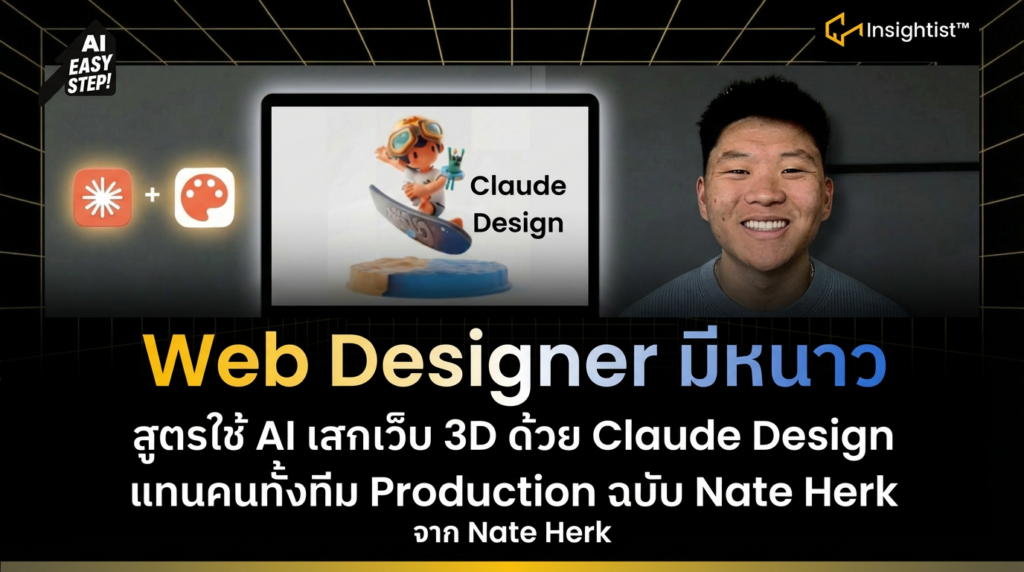
Claude Design คือเครื่องมือที่ช่วยให้นักออกแบบและผู้สร้างเนื้อหาสามารถเปลี่ยนเว็บไซต์ธรรมดาให้กลายเป็นประสบการณ์การเลื่อนหน้าจอแบบ Interactive ที่มีการ์ด 3D ลอยขึ้นมาพร้อมเอฟเฟกต์ที่ดูมืออาชีพ โดยยังคงรักษาแบรนด์ สี และเนื้อหาเดิมไว้ทั้งหมด คุณ Nate Herk ได้สาธิตการเปลี่ยนเว็บ AI Automation Society จากหน้าเว็บนิ่งๆ ให้กลายเป็นฉากที่เลื่อนลงไปแล้วมี Card 3D เด้งขึ้นมาตามจังหวะการ Scroll รวมถึงการสร้างเว็บส่วนตัวที่เป็นรูปตัวเองนั่งบนเกาะลอยฟ้ากลางอวกาศ ซึ่งให้ความรู้สึกพรีเมียมและดึงดูดผู้ใช้ได้ดีกว่าเดิมอย่างมีนัยสำคัญ
ขั้นตอนการสร้างเว็บไซต์จากศูนย์ด้วย Claude Design มีอะไรบ้าง?
1. เริ่มต้นด้วยไอเดียและแบรนด์: กำหนดทิศทางก่อนลงมือทำ
การเริ่มต้นที่ถูกต้องคือการบอก Claude ว่าต้องการสร้างเว็บไซต์แบบไหน ผลิตภัณฑ์หรือบริการคืออะไร และขอความช่วยเหลือในการสร้างแบรนด์ รวมถึง positioning, voice, visual identity และโครงสร้างเว็บ
ตัวอย่าง Prompt:
I want to build a website using cloud design, and I’m looking for some inspiration on the type of website I should build. What is the product or service that we’re offering? What should the hero section and the actual copy be like? What should the vibe be like? Help me build an example brand and give me a spec for this website.
กรณีศึกษา: แบรนด์เครื่องดื่มก่อนนอน “Lull” ตัวอย่างที่ใช้แมกนีเซียมไกลซิเนตเป็นส่วนประกอบหลัก โดยมีตำแหน่งทางการตลาดเป็น “ritual” สำหรับการพักผ่อนก่อนนอน ไม่ใช่ยาช่วยนอนหลับทั่วไป
2. สร้างสื่อวีดิโอสำหรับ Hero Section: ใช้ AI สร้างภาพเคลื่อนไหวคุณภาพสูง
ขั้นตอนต่อไปคือการใช้ Claude สร้าง Image Prompt และ Video Prompt เพื่อนำไปผลิตสื่อวีดิโอสำหรับส่วนหัวของเว็บไซต์
ตัวอย่าง Image Prompt:
Cinematic still-life photograph, 16:9 aspect ratio. A dark matte ceramic mug filled with warm amber liquid sits on a rumpled natural linen cloth atop a dark walnut nightstand, positioned in the lower-right third of the frame. The mug is lit from the upper right by a single warm tungsten source (2700K bedside lamp just out of frame), creating a soft pool of light on the mug and linen while the rest of the scene falls into deep shadow. Thin wisps of steam rise from the surface of the liquid, catching the warm light as they drift upward. The upper-left two-thirds of the frame is quiet, nearly-black negative space – the room is in darkness, with only the faintest suggestion of linen texture and a shadowed wall visible. Palette: ink (deep near-black #0E1116), bone (warm off-white), ember (muted brass), and the warm amber of the liquid. Shot on medium format, 80mm lens, shallow depth of field with the mug in sharp focus, fine grain, subtle film texture. Mood: quiet, editorial, late-night, meditative. No text, no people, no visible light source in frame.
ตัวอย่าง Video Prompt:
Locked-off camera – no camera movement whatsoever. No pan, no zoom, no tilt, no drift, no parallax. Tripod-static. The start frame and end frame must be identical for a seamless endless loop. Duration: 8 seconds.
The ONLY motion in the scene is:
Steam. Thin wisps rise slowly and continuously from the surface of the amber liquid in the dark ceramic mug, curling upward into the warm light from the upper right, then dissipating into the shadow above. The steam drifts languidly, as if in still room air – never in plumes, never fast, never sudden. Hypnotic pace.
Liquid surface. A nearly-imperceptible heat shimmer on the surface of the amber liquid – no ripples, no waves, just the faintest tremor in the warm highlights, as if the drink is cooling.
Light. The warm tungsten source has a barely-visible slow breath – not a flicker, not a strobe – causing the shadows on the mug and linen to gently expand and contract over several seconds, like a distant candle.
Everything else is perfectly still: the linen folds, the mug, the walnut surface, the background shadows, the framing. No hands, no people, no objects entering the frame. No text overlays. The steam pattern should resolve at the 8-second mark so that the final frame matches the first frame exactly for a clean loop.
Mood: quiet, meditative, late-night. The viewer should feel like they’re watching a drink cool on a nightstand before bed.
ขั้นตอนการผลิตสื่อ:
- นำ Image Prompt ไปสร้างภาพใน Key.ai (ใช้ Nano Banana 2) อัตราส่วน 16:9
- นำภาพไป Animate ใน Kling 2.0 โดยตั้งเฟรมแรกและเฟรมสุดท้ายให้เหมือนกัน พร้อมใส่ Video Prompt
- ผลลัพธ์คือวิดีโอพื้นหลังแบบลูปที่ไม่มีข้อความ แต่มีพื้นที่สำหรับวาง Hero Text
3. เริ่มโปรเจกต์ใน Claude Design: สร้าง High-fidelity Prototype อย่างรวดเร็ว
การสร้างโปรเจกต์ใน Claude Design ไม่จำเป็นต้องใช้ Design System หากเริ่มแบรนด์ใหม่ สามารถวาดโครงสร้างเว็บอย่างง่ายใน Canvas เพื่อบอก Claude ว่าต้องการ Layout แบบไหน และสามารถลากไฟล์วิดีโอ MP4 เข้าไปได้เลย (ไม่เกิน 30-40 MB)
ตัวอย่าง Brand Brief Prompt สำหรับ Claude Design:
The brand: Lull
A nightly wind-down drink. One scoop of magnesium glycinate, L-theanine, glycine, and tart cherry stirred into warm water 30 minutes before bed. No melatonin, no grogginess, no dependency — a ritual, not a pill. The reason this concept is a strong Claude Design showcase: it’s a physical product with sensory identity (dark, warm, tactile), which gives you room for bold typography, moody imagery, and real narrative copy. Sleep supplements are a crowded category that’s also visually undifferentiated — most look clinical or feminine-wellness. Lull goes editorial-dark, closer to a spirits brand than a supplement.
Positioning and voice
Lull isn’t a sleep hack or a tranquilizer — it’s the off-switch for people who can’t stop working. Target is 28–40 year old founders, operators, and creatives whose brains don’t stop at 11pm. The promise isn’t “fall asleep faster,” it’s “end the day properly.”
The voice is quiet, assured, a little dry. Short sentences. Never breathless about wellness, never uses “unlock” or “optimize.” The brand talks like someone who’s read their Didion and doesn’t need to prove anything. The tell for whether a line fits: “Your laptop closed four hours ago. Your brain didn’t get the memo.” passes. “Unlock your best sleep ever with our scientifically-formulated blend!” does not.
Visual identity
Palette. Ink (deep near-black, ~ #0E1116) as the primary background. Bone (warm off-white, ~ #F3EEE4) for text on dark and light-mode backgrounds. Ember (muted brass, ~ #B88547) as a single accent used sparingly — for links, a CTA, a rule. Moss (deep green-gray, ~ #2A3A34) as a secondary surface.
Typography. High-contrast display serif for headlines — something like GT Sectra, Reckless, or Söhne Breit. Clean humanist sans for body — Söhne, Inter Tight, or GT America. Heavy contrast between the two. Headlines are generous, quiet, often lowercase.
Imagery. Low-light still life. A glass of amber liquid on a nightstand. A rumpled linen sheet. Steam curling off a ceramic mug. No stock-photo models in robes.
The site
Hero. Dark, nearly full-bleed. A slow, almost-still video loop of warm water being poured into a dark ceramic mug under a single light source works beautifully; a static hero shot also lands if you want it to load instantly.
The end of the day, properly.
Lull is a nightly ritual for people who can’t stop thinking. Magnesium, L-theanine, glycine, tart cherry. No melatonin. No morning fog.
[Start the ritual — $48] How it works
Section 2 — The problem. One screen, one sentence, set very large in the serif: “You’re not bad at sleeping. You’re bad at stopping.” Followed by two short paragraphs: the real issue isn’t insomnia, it’s a nervous system that doesn’t know how to downshift. Most sleep products sedate you into submission. Lull works with your body’s own wind-down cycle instead of overriding it.
Section 3 — The ritual. Three vertical cards: Pour. Stir. Sit. Each is a single short paragraph. The argument is that the act of making the drink is part of what works — the warm mug, the thirty minutes of not looking at your phone. You’re selling the ceremony as much as the chemistry.
Section 4 — What’s in it. Four ingredients, four paragraphs. Named plainly — magnesium glycinate, L-theanine, glycine, tart cherry — not hidden in a “proprietary sleep matrix.” Each ingredient gets a one-sentence explanation of what it does and one sentence on the dose and why it matters. This is where the brand earns trust.
Section 5 — The morning after. A short counter-positioning section against melatonin. “You wake up the way you would have anyway — just earlier to it.” Keep it brief. The brand is confident, and overselling here breaks the voice.
Section 6 — Quotes. Two or three long pull-quotes set large in the serif, attributed to founders, creatives, or a sleep doctor. Not a carousel of smiling review cards — that’s the register Lull is specifically not in.
Section 7 — Subscribe. One SKU. $48/month one-time, $42 on subscription. Cancel anytime. No tiers, no bundles. The simplicity is the message.
Footer. Minimal. Wordmark “lull” in the display serif, all lowercase. Three columns of tiny links. Newsletter sign-up with the copy: “We write a short letter on Sundays about rest, attention, and doing less.”
If you want to tune this before building: the two biggest forks are category (sleep drink vs. a coffee roaster, a focus nootropic, a bouldering chalk brand, an indie RSS reader) and register (editorial-dark like above, vs. bright/playful, vs. brutalist/technical). Happy to spin a second concept in a different direction if Lull feels too close to something that already exists in your head.
4. ใช้ฟีเจอร์ Interactive Canvas: ปรับแต่งองค์ประกอบเว็บได้ตรงจุด
Claude Design มีเครื่องมือที่ช่วยให้การแก้ไขทำได้อย่างรวดเร็วและแม่นยำ:
- คอมเมนต์บนองค์ประกอบ: คลิกที่ปุ่มหรือข้อความ แล้วสั่งเปลี่ยนสี ขนาด หรือสไตล์ได้ตรงจุด
- แก้ไขข้อความแบบ Inline: ลบ แก้ หรือปรับขนาดฟอนต์ได้ทันที
- วาดวงกลมระบุพื้นที่: ระบุจุดที่ต้องการเปลี่ยน เช่น “เพิ่ม gradient transition ตรงนี้”
- Tweaks Panel: ปรับสีพาลเลต ฟอนต์ ขนาดหัวข้อ ระยะห่างเซกชัน และสไตล์การ์ดแบบเรียลไทม์ โดยไม่ต้องส่งพรอมพ์ใหม่
ตัวอย่าง Prompt สำหรับขอตัวเลือกปรับแต่งเพิ่มเติม:
This is a really great iteration one. I want to see what else is possible. I want to see how this website could be improved, so just add a bunch of things that I can tweak and put those on there for me: different colors, different sliders, different panels, and just give me a bunch of things to play with.
เคล็ดลับ: การใช้ Tweaks Panel ช่วยประหยัด Tokens เพราะไม่ต้องลองผิดลองถูกด้วยการส่ง Prompt ซ้ำๆ
จะหาแรงบันดาลใจสำหรับออกแบบเว็บแนวไหนได้จากที่ไหน?
คุณ Nate Herk แนะนำให้ไปที่ Motions.ai เว็บนี้รวบรวมตัวอย่างเว็บไซต์ที่มีแอนิเมชันสวยงามไว้จำนวนมาก คุณสามารถคัดลอก Prompt จากเว็บเหล่านั้นมาให้ Claude Design ช่วยสร้าง Layout ที่คล้ายกัน แล้วค่อยมาเปลี่ยนสีหรือรูปภาพให้เข้ากับแบรนด์ของคุณในภายหลัง
ขั้นตอนการ Export และ Deploy เว็บไซต์ขึ้นออนไลน์ทำอย่างไร?
ขั้นตอนที่ 1: ดาวน์โหลดโปรเจกต์
ใน Claude Design กด Share แล้วเลือก Download as ZIP หรือใช้คำสั่ง Hand off to Claude Code หากฟังก์ชันทำงานได้ปกติ
ขั้นตอนที่ 2: เปิดใน Claude Code (VS Code)
แตกไฟล์ ZIP ลงโฟลเดอร์ เปิดโฟลเดอร์นั้นใน VS Code แล้วเปิด Claude Code สั่งให้ช่วยผลักโปรเจกต์นี้ขึ้น GitHub Private Repo
หมายเหตุ: หากยังไม่ได้เชื่อมต่อ GitHub ระบบจะพาไปหน้า Authorization ให้ล็อกอินและอนุญาตการเข้าถึง
ขั้นตอนที่ 3: เชื่อมกับ Vercel เพื่อโฮสต์เว็บ
สร้างบัญชี Vercel (ล็อกอินด้วย GitHub ได้เลย) กด Add New Project แล้ว Import จาก GitHub Repo ที่เพิ่งสร้าง กด Deploy ซึ่งใช้เวลาประมาณ 60 วินาที คุณจะได้ลิงก์เว็บจริง เช่น lol-site.vercel.app
การแก้ไขปัญหา 404 หลังดีพลอย
หากเปิดเว็บแล้วเจอ 404 Not Found มักเกิดจากชื่อไฟล์หลักไม่ใช่ index.html ให้สั่ง Claude Code ว่า “ช่วยเปลี่ยนชื่อไฟล์หลักเป็น index.html และผลักขึ้น GitHub ให้หน่อย” จากนั้น Vercel จะอัปเดตอัตโนมัติภายในประมาณ 1 นาที
ตรวจสอบการแสดงผลบนมือถือ
กด F12 ในเบราว์เซอร์ เปิด Device Toolbar เพื่อดูว่าเว็บแสดงผลบนมือถือดีไหม หากไม่ดี ให้สั่ง Claude Code ให้ optimize for mobile เพื่อปรับ Layout ให้รองรับจอเล็ก
จะจัดการการใช้โทเค็นและโควต้าให้คุ้มค่าได้อย่างไร?
โครงสร้างโควต้า Claude Design
คุณ Nate Herk แจ้งว่ามีโควต้ารายสัปดาห์แยกต่างหากจาก Claude Code แผนราคา 20 ดอลลาร์ต่อเดือนอาจหมดโควต้าหลังจากสร้างเว็บใหญ่ 1-2 โปรเจกต์ ส่วนแผน Max หรือ 20x ใช้งานได้มากขึ้น แต่ยังต้องใช้อย่างระมัดระวัง
สิ่งที่กิน Tokens เร็วที่สุด
- ใช้โมเดล Opus 4.7 ตลอดเวลา ซึ่งเป็นโมเดลที่แพงที่สุด ควรสลับใช้ Sonnet 4.6 สำหรับงานย่อย
- สร้าง Design System ใหม่ทุกครั้ง ควร Export เป็น ZIP แล้วใช้ซ้ำใน Claude Code
- ส่ง Prompt ยาวๆ หลายอย่างในครั้งเดียว Claude อาจทำไม่ครบ ทำให้เสีย Tokens โดยเปล่าประโยชน์
- Threads สนทนายาวเกินไป ทำให้ Context หน้าต่างอาจสับสน ส่งผลต่อประสิทธิภาพ
เคล็ดลับประหยัด Tokens
- ใช้ Sketch และแบรนด์ไกด์ตั้งแต่เริ่มต้น เพื่อลดการแก้ไขซ้ำ
- เปลี่ยนโมเดลตามขั้นตอน: ใช้ Opus 4.7 สำหรับวางแผน และ Sonnet 4.6 สำหรับปรับแต่งย่อย
- ระบุการเปลี่ยนแปลงใหญ่เพียง 1 อย่างต่อ 1 Prompt เพื่อให้ได้ผลลัพธ์ชัดเจนกว่า
- ระบุสิ่งที่ไม่ต้องการใน Prompt เพื่อลดการแก้ไขย้อนหลัง
- อ้างอิงสไตล์จริง เช่น แบบ Linear 2023 ความหนาแน่นสูง แทนการใช้คำว่า minimal ที่คลุมเครือ
- ใช้ Tweaks Panel แทนการสั่งผ่านแชท เพื่อความประหยัดและแม่นยำกว่า
- ถ้าเธรดยาวเกินไป ให้ Export โปรเจกต์ แล้วเปิดเซสชันใหม่ด้วยโค้ดที่พร้อมแล้ว
ฟีเจอร์เด่นของ Claude Design ที่ควรรู้มีอะไรบ้าง?
- Canvas Interactive: คลิก คอมเมนต์ และแก้ไของค์ประกอบเว็บได้ตรงจุด
- Tweaks Panel: ปรับสี ฟอนต์ และ Layout แบบสไลด์เดอร์ เห็นผลทันที
- Sketch-to-Prototype: วาดโครงสร้างอย่างง่าย แล้วให้ Claude แปลงเป็นเว็บจริง
- Design System Builder: สร้าง Brand Template ใช้ซ้ำได้ในทุกโปรเจกต์
- Export หลากหลายรูปแบบ: ส่งออกเป็น HTML, Figma, Canva หรือ PowerPoint ได้
- Hand-off to Claude Code: ส่งโปรเจกต์ไปพัฒนาต่อในโค้ดเอ็นไวรอนเมนต์ได้
วงจรการทำงานแนะนำจาก Nate Herk มีขั้นตอนอย่างไร?
วงจรการทำงานที่แนะนำเริ่มจาก ไอเดีย ส่งให้ Claude สร้างแบรนด์และ Prompt นำไปสร้างสื่อด้วย Key.ai และ Kling แล้วเข้ามาสร้างโปรโตไทป์ใน Claude Design ปรับแต่งด้วย Tweaks ส่งออกเป็น ZIP นำไปแก้โค้ดและเตรียมดีพลอยด้วย Claude Code แล้วอัปโหลดขึ้นจริงผ่าน GitHub และ Vercel หลังจากนั้นสามารถวนลูปปรับแต่งต่อได้ไม่จำกัด
ข้อควรระวัง: หากโควต้า Claude Design หมด ให้ส่งโปรเจกต์ไปทำต่อใน Claude Code ก่อน แล้วรอโควต้า Reset ค่อยกลับมาปรับดีไซน์ต่อ
คำถามที่พบบ่อย (FAQ)
Claude Design เหมาะสำหรับใคร?
Claude Design เหมาะสำหรับนักออกแบบ นักการตลาด ผู้ประกอบการ และผู้สร้างเนื้อหาที่ต้องการสร้างเว็บไซต์คุณภาพสูงแบบ Interactive โดยไม่ต้องมีความรู้ด้านการเขียนโค้ดลึกซึ้ง
ต้องใช้ทักษะการเขียนโค้ดแค่ไหนจึงจะใช้งาน Claude Design ได้?
ไม่จำเป็นต้องมีทักษะการเขียนโค้ดเลย ในขั้นตอนการออกแบบและสร้างโปรโตไทป์ แต่หากต้องการปรับแต่งขั้นสูงหรือแก้ไขปัญหาเฉพาะทาง การมีความรู้พื้นฐานเกี่ยวกับ HTML และ CSS จะเป็นประโยชน์
Claude Design ทำงานร่วมกับเครื่องมืออื่นๆ อย่างไร?
Claude Design สามารถทำงานร่วมกับ Key.ai และ Kling 2.0 สำหรับสร้างสื่อภาพและวิดีโอ รวมถึงส่งต่อโปรเจกต์ไปยัง Claude Code ใน VS Code เพื่อจัดการโค้ด และอัปโหลดขึ้นโฮสต์ผ่าน GitHub และ Vercel
ค่าใช้จ่ายในการใช้งาน Claude Design เป็นอย่างไร?
Claude Design มีโครงสร้างโควต้ารายสัปดาห์แยกจาก Claude Code แผนพื้นฐานราคา 20 ดอลลาร์ต่อเดือนอาจเพียงพอสำหรับการสร้างเว็บเล็ก 1-2 โปรเจกต์ต่อสัปดาห์ ส่วนแผนระดับสูงอย่าง Max หรือ 20x เหมาะสำหรับงานที่ต้องการปริมาณการใช้งานมากขึ้น
หากโควต้า Claude Design หมดระหว่างทำงาน ต้องทำอย่างไร?
หากโควต้าหมดระหว่างทำงาน คุณสามารถส่งโปรเจกต์ที่สร้างไว้แล้วไปทำต่อใน Claude Code ก่อน จากนั้นรอให้โควต้า Reset ในสัปดาห์ถัดไปจึงค่อยกลับมาปรับแต่งดีไซน์ต่อใน Claude Design
ข้อสรุป:
Claude Design ไม่ใช่แค่เครื่องมือสร้างเว็บ แต่เป็นผู้ช่วยให้คุณทดลองไอเดียได้เร็ว ปลอดภัย และประหยัด โดยไม่ต้องเขียนโค้ดเองตั้งแต่เริ่มต้น