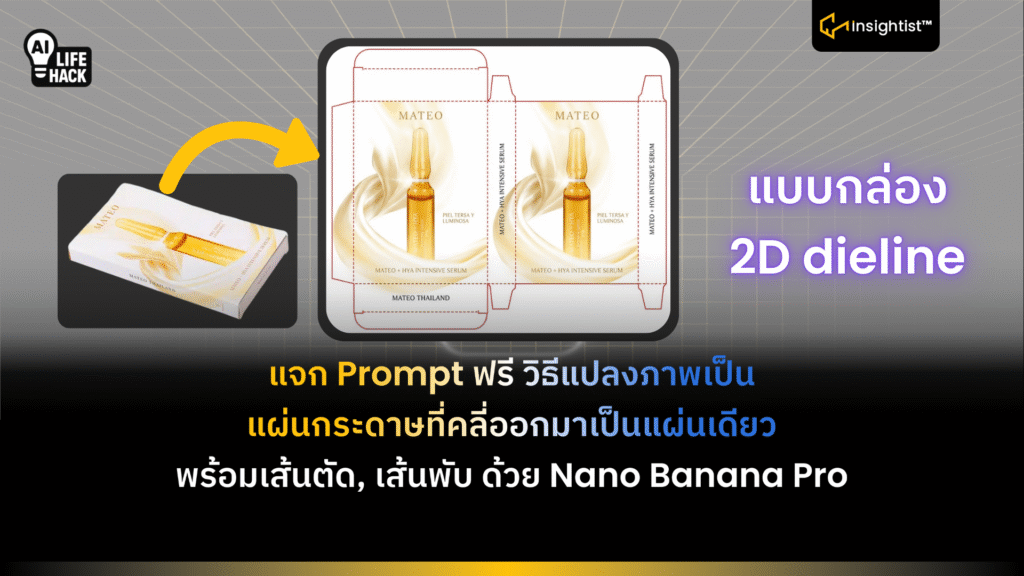
หลังจากการเปิดตัว Nano Banana Pro เมื่อ 21 พฤศจิกายนที่ผ่านมา จึงเกิดกระแสการสร้างรูปภาพต่าง ๆ หลากหลายสไตล์ไปทั่วโลกและล่าสุดในเดือนนี้ ทีม Insightist เจอต่างชาติชื่อว่า AmirMušić (@AmirMushich) ได้สร้างภาพแบบกล่อง 2D dieline (กล่องที่คลี่ออกมาเป็นแผ่นเดียว แสดงเส้นตัด เส้นพับ และพื้นที่พิมพ์ สำหรับส่งให้โรงพิมพ์ทำกล่องจริง) ฟรี ล่าสุดบน Gemini โดยไม่ต้องมีพื้นฐานการออกแบบด้วย Prompt เดียว
ขั้นตอนการสร้างภาพ แบบกล่อง 2D dieline บน Gemini
- เปิด Internet เข้าไปที่ Google พิมพ์ว่า Gemini หรือ gemini.google.com ใช้ได้บน Windows, Mac, IOS, Android
- ใน Gemini เปิดโหมดสร้างภาพ สังเกตคำว่า Image ตรงแถบพิมพ์ Prompt แล้วกดคลิก สีของปุ่มจะเปลี่ยนจากสีเทาเป็นสีน้ำเงิน
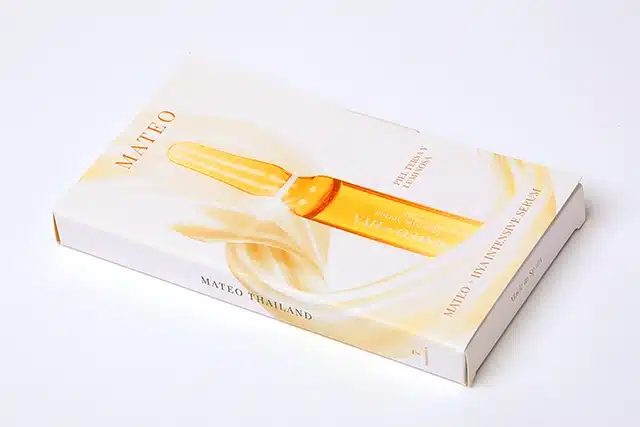
- พิมพ์ Prompt เลยครับ แนบภาพผลิตภัณฑ์ Product เป็นรูปกล่องจริง ๆ
Prompt: Deconstruct this 3D product packaging photo into a precise, flattened 2D dieline template. Unfold the box into a complete technical net structure, revealing all panels, including previously hidden dust flaps, tucks, and glue tabs. Eliminate all perspective and lens distortion to create a perfect orthographic top-down view. Retain the exact high-fidelity texture and typography from the original photo but map it accurately onto the flat surface. Superimpose clean, technical die-cut lines (solid) and fold lines (dashed) in a contrasting color. Isolated on a pure white background, shadowless, print-ready production quality
ข้อสรุป:
เท่านี้ก็ได้ แบบกล่อง 2D Dieline แบบไม่เพี้ยนเลย พวกรอยพับนะ ตัวอักษรและอัตรราส่วนของกล่อง รวมถึงชื่ออาจมีเพี้ยนบ้าง